Importing Multipage PDF and placing new sheets
Revit2023 / Dynamo
This Dynamo script is similar to the feature in Indesign that allows you to import multi-page PDFs and create and place sheets with page numbers.
Requirements:
- Multi-page PDF
- Excel with drawing numbers and drawing names
- Installation of the archilab package
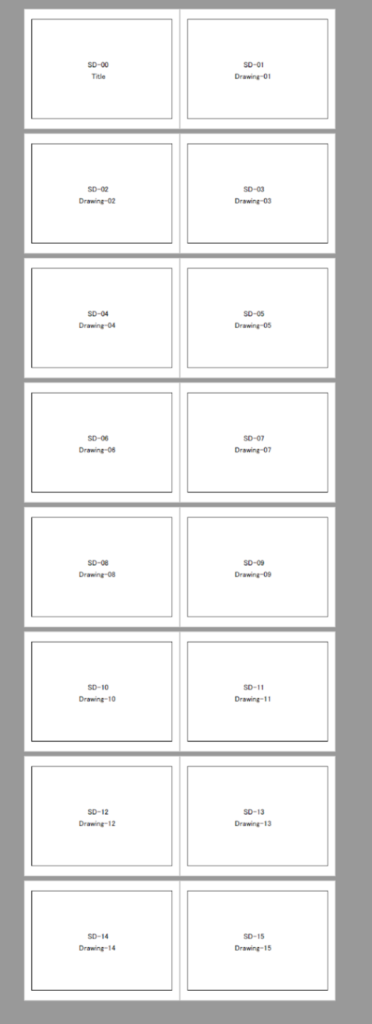
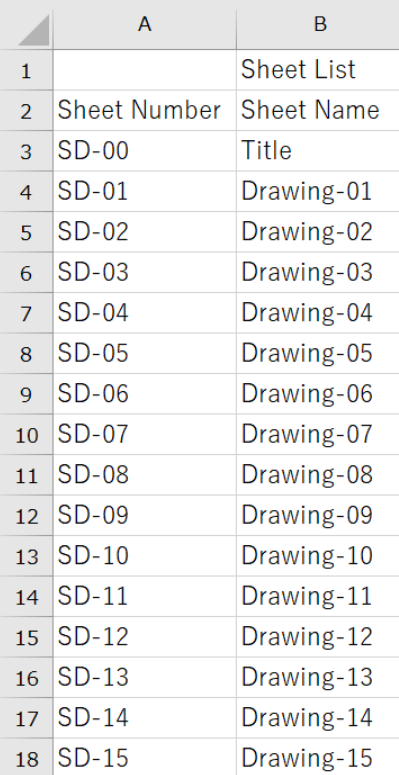

Overall Dynamo Diagram
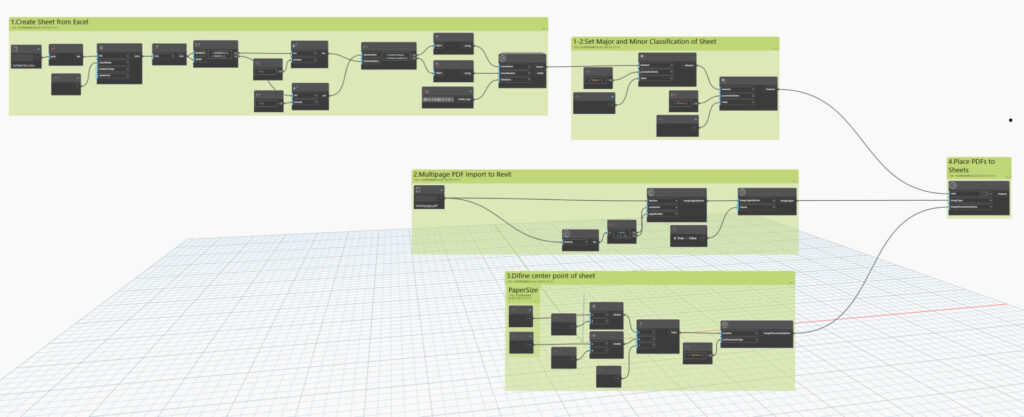
Steps:
- Create sheets from Excel
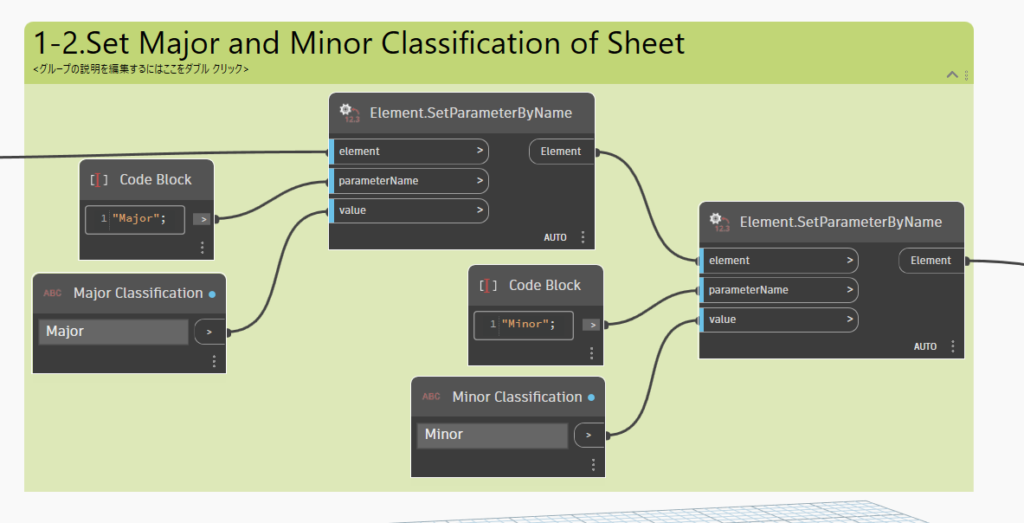
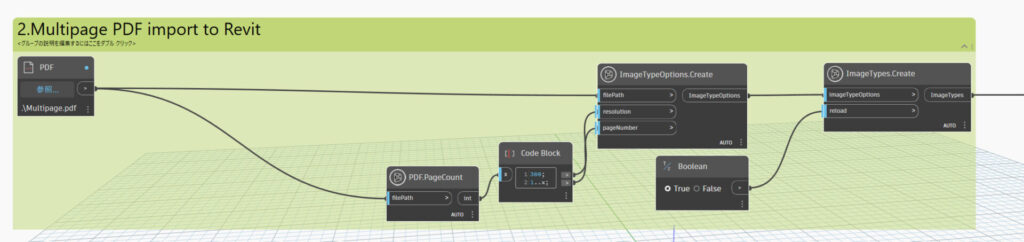
1-2. Define the classification of the sheets (as preferred) - Import multi-page PDFs into Revit
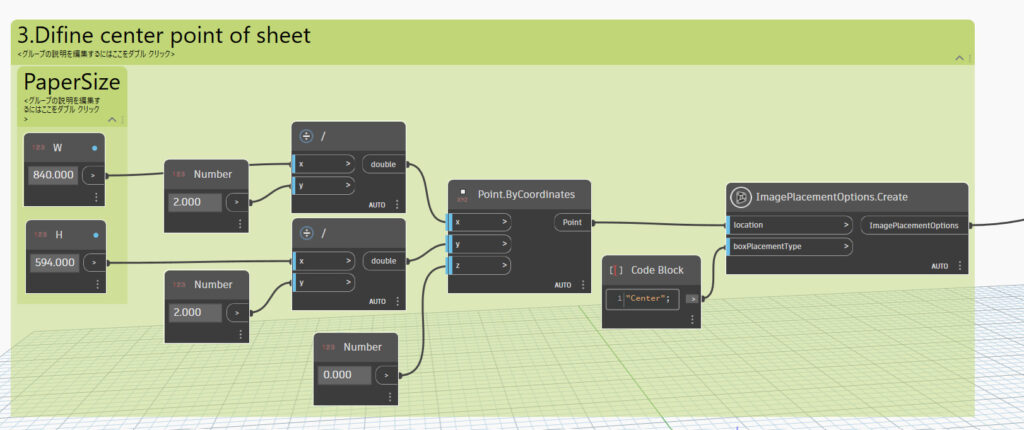
- Define the center point of the sheets
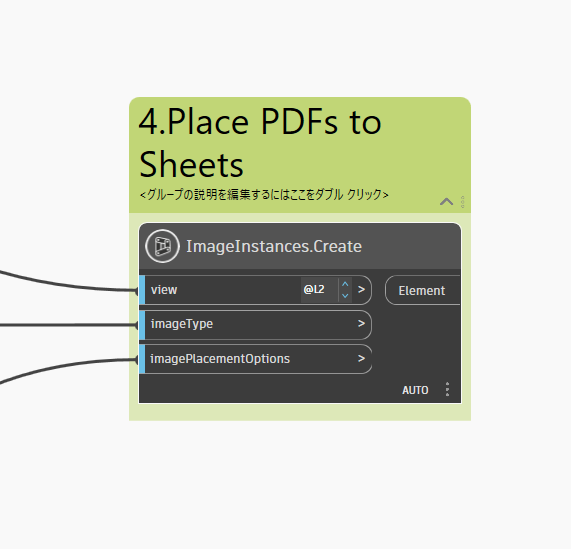
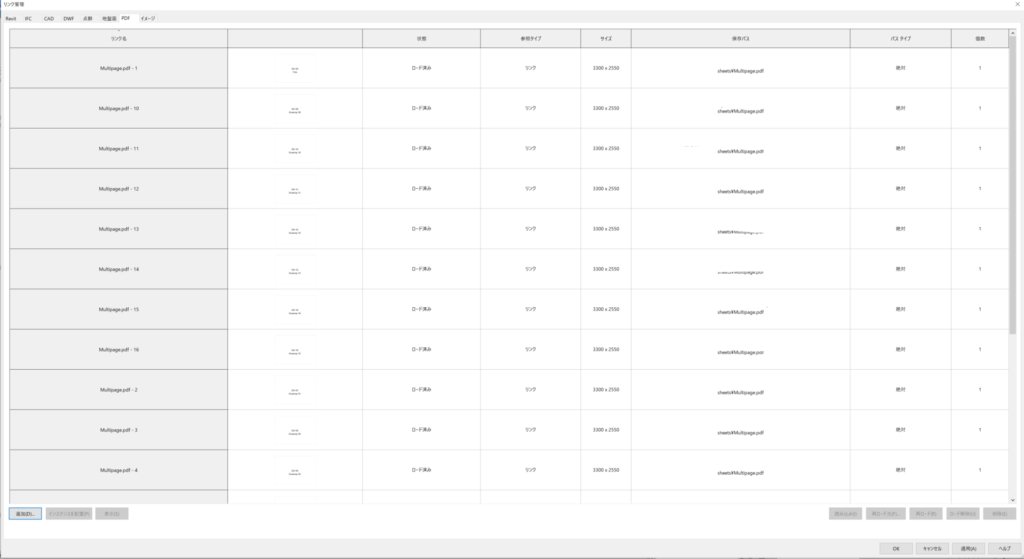
- Place the PDFs on the created sheets

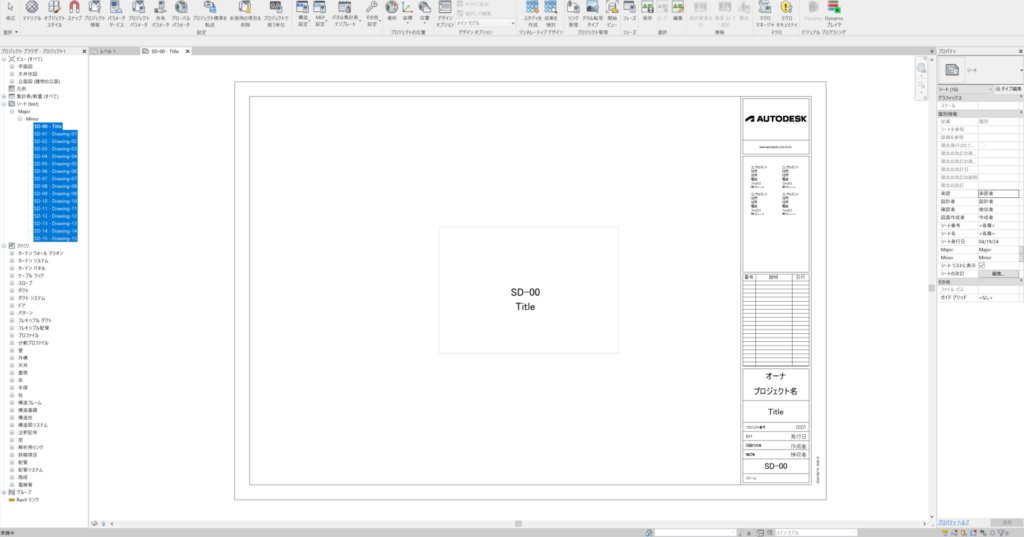
Results
Note: Due to the specifications of Dynamo (Revit), it is not possible to specify files on BIM360, so the link will be absolute. It is believed that manual switching is necessary to switch to cloud links.
Reference Links:
- Autodesk Forum Post
- Archi-lab: Importing PDFs Made Easy
- Dynamo BIM Forum: How to Link Revit Files as Cloud File Path Type Directly with Dynamo
List families loaded by category, including those not placed in the project
カテゴリーごとに読み込まれているファミリーをプロジェクトに配置されていないものも含めてリスト表示する
Revit2023 / Dynamo / Python3
import clr
import Revit

clr.AddReference("RevitServices")
import RevitServices
from RevitServices.Persistence import DocumentManager
from RevitServices.Transactions import TransactionManager

clr.AddReference("RevitAPI")
clr.AddReference("RevitAPIUI")

import Autodesk
from Autodesk.Revit.DB import *
from Autodesk.Revit.UI import *

doc = DocumentManager.Instance.CurrentDBDocument


# Input for the category name
category_name = IN[0]


# Initialize a set to store family names (to ensure uniqueness)
family_names_set = set()

# Check if a valid document is available
if doc is not None:
    # Get the category by name
    categories = doc.Settings.Categories
    category = None
    for c in categories:
        if c.Name == category_name:
            category = c
            break

    # Check if the category exists
    if category:
        # Collect all elements of the specified category
        collector = FilteredElementCollector(doc).OfCategoryId(category.Id)

        # Iterate through the elements and collect the family names
        for element in collector:
            family_name_param = element.get_Parameter(BuiltInParameter.SYMBOL_FAMILY_NAME_PARAM)
            if family_name_param:
                family_name = family_name_param.AsString()
                if family_name and family_name.strip() != "":
                    family_names_set.add(family_name)

# Convert the set to a sorted list for output
family_names_list = sorted(list(family_names_set))

# Output the sorted list of unique family names
OUT = family_names_list
Returns false for lists containing Kanji characters, true otherwise
漢字を含むリストにfalse、そうでない場合はtrueを返す
Revit2023 / Dynamo / Python3
import clr

# Inputs
items = IN[0]  # リストのアイテム

# 各アイテムに対して漢字を含むかどうかの条件をチェックし、結果を格納
results = [not any(characters >= u'\u4e00' and characters <= u'\u9fff' for characters in item) for item in items]

OUT = results